A private, AI-assisted daily notebook

Write your day.
Jot handles the rest.

Capture meetings, thoughts, and to-dos in one daily note — messy is fine. Jot refines the writing, links related ideas, and answers questions across everything you've written — all on your own AI key, so Jot is never the middleman. Choose your trust level: end-to-end-encrypted local mode, or synced cloud.
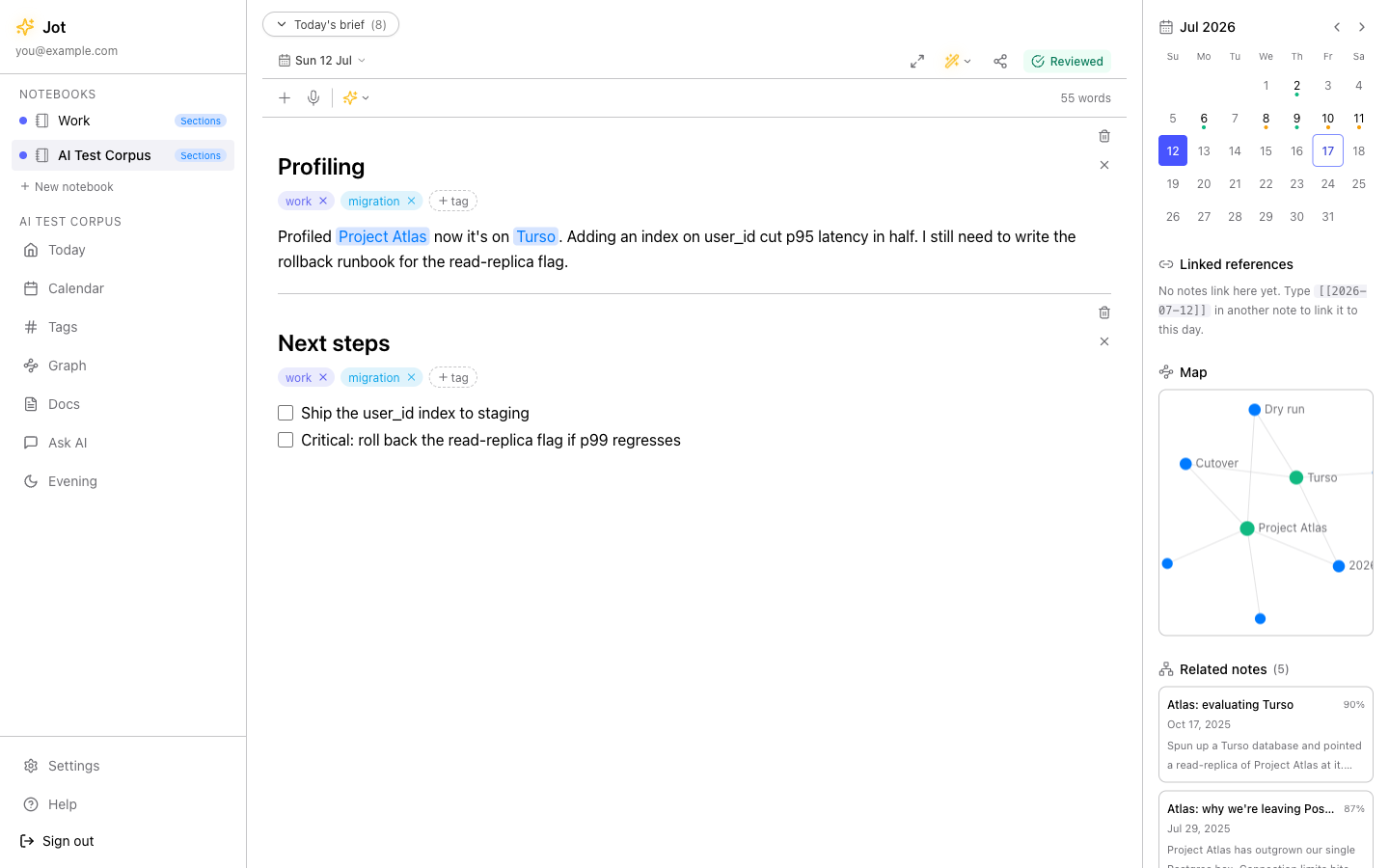
Jot's daily note — today's date at the top, meetings and thoughts under simple headings, with a side panel of connections and related notes.
1
Morning
Open today's note and start typing. No folder to pick.
2
Midday
Tap Refine — rough capture becomes clear prose.
3
As you write
[[Link]] a project, #tag a thought. Connections build themselves.
4
Evening
Ask "what did I decide about Atlas?" — answered from your notes.
Refine

Rough notes, clear writing — one tap.

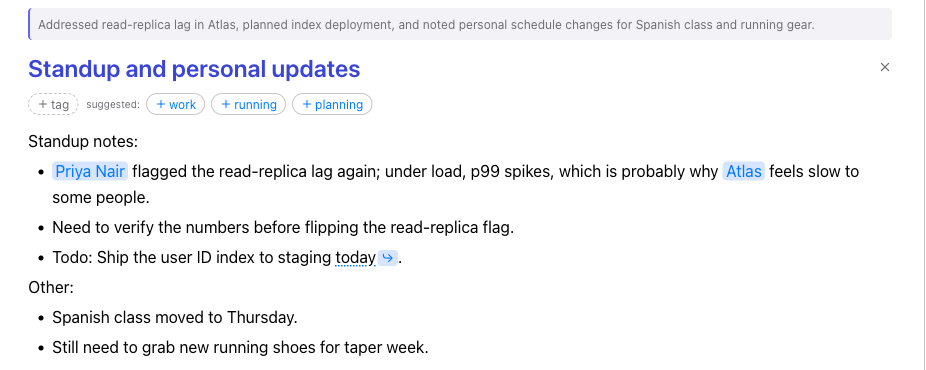
Jotted something in a hurry? Refine tidies grammar and tightens phrasing while keeping your voice. You see the before and the after and decide what to keep — nothing changes without you. It runs on your own AI key — Jot never trains on your words, and you choose which provider ever sees them.

Keeps your voiceBefore / afterYour own key
Before — your quick capture
A rough note typed in a hurry: lowercase, run-on sentences, abbreviations.
One tap of Refine
After — refined by Jot
The same note after Refine: clean sentences, a short summary, tidy structure, and auto-created links.
Links & tags

Nothing gets lost in folders.

Mention a person or project in [[brackets]] and Jot builds the connection for you. Tag a section with #hashtags and it joins a living stream. Follow backlinks to see every place a thread shows up — no filing, no hunting, no tidy-up chores.
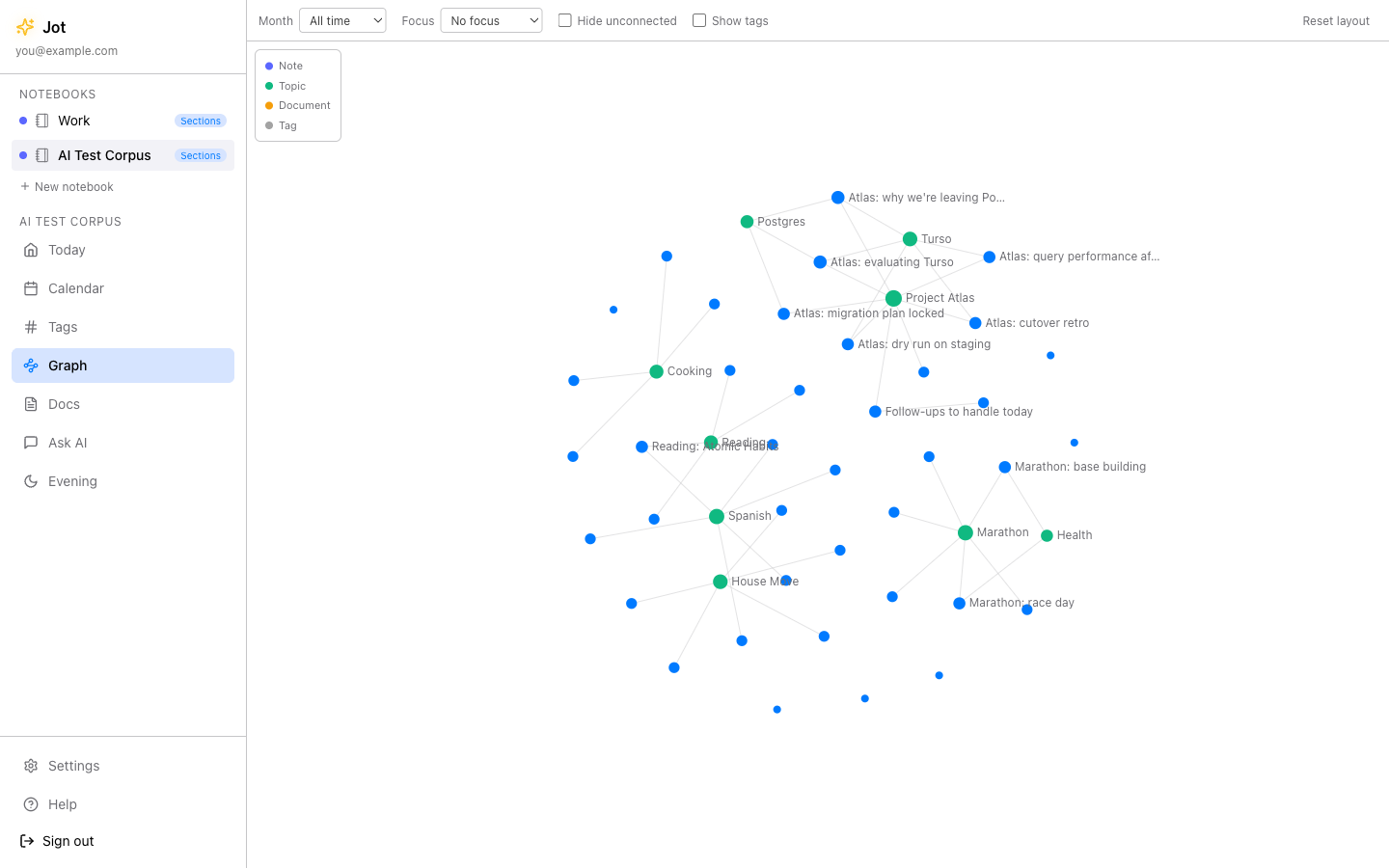
Jot's connected-notes graph showing links between notes and topics.
Ask your notes

Ask your own notes. Get real answers.

Forgotten where you wrote something? Ask in plain language and Jot searches everything you've written, then answers with citations back to the exact notes. Your words, your context — not the open internet.
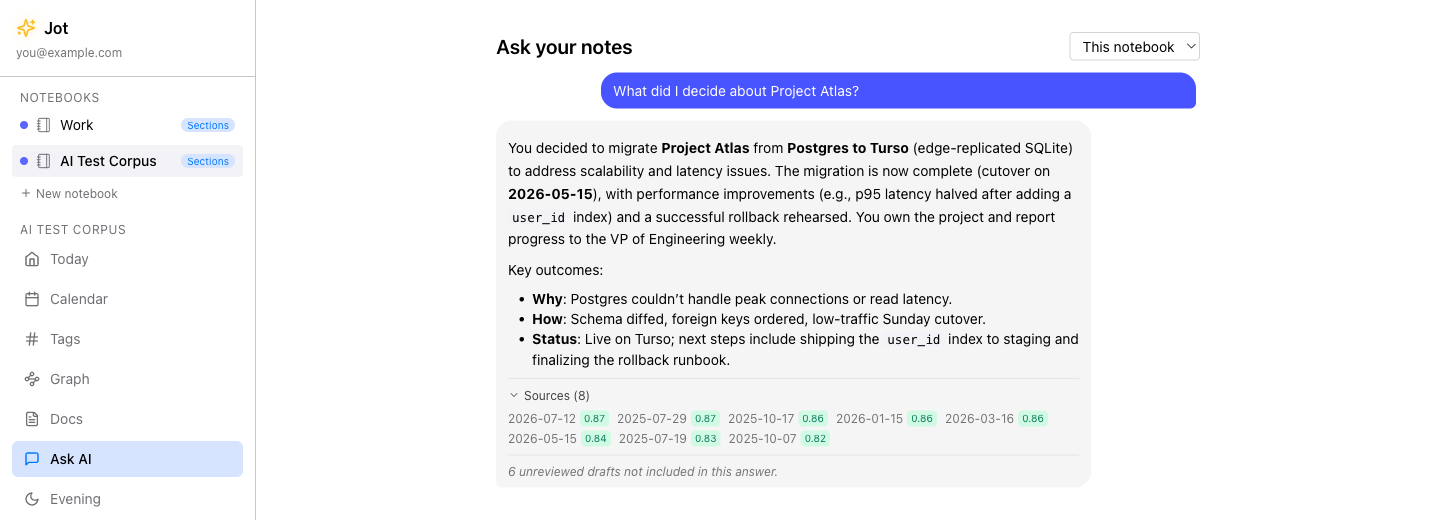
Jot answering a question with citations linking back to the user's own notes.
See how Jot's AI works — all on your own key

Yours, fully.

Most notes apps hold your writing hostage. Jot is built the other way around.

End-to-end encrypted
Local mode encrypts on your device. We can't read your notes — by design.
Your own AI key
Bring your own key — Mistral, Groq, Gemini, OpenAI, or Anthropic. Jot never resells AI or marks it up.
Plain Markdown, export anytime
Your notes are Markdown you can take with you. Leave whenever — no lock-in.
No ads, no tracking
Nothing sold, nothing served. Local mode needs no account at all.
Exactly how your notes stay private
Students
Lecture notes, code snippets, and a searchable term of your own thinking.
Professionals
A note per meeting; Jot compiles a project's thread into one living doc.
Journalers
A calm daily page with gentle prompts — and it stays entirely private.
1
Choose local or cloud
Local stays on your device, end-to-end encrypted. Cloud syncs across your devices. Either way, it's yours.
2
Add your own AI key — optional
Paste a key from any supported provider — Mistral, Groq, Gemini, OpenAI, or Anthropic — to switch on Refine, Ask, and daily prompts. Jot never charges for AI.
3
Start today's note
A guided demo notebook shows you the ropes. Write one line and you're going.
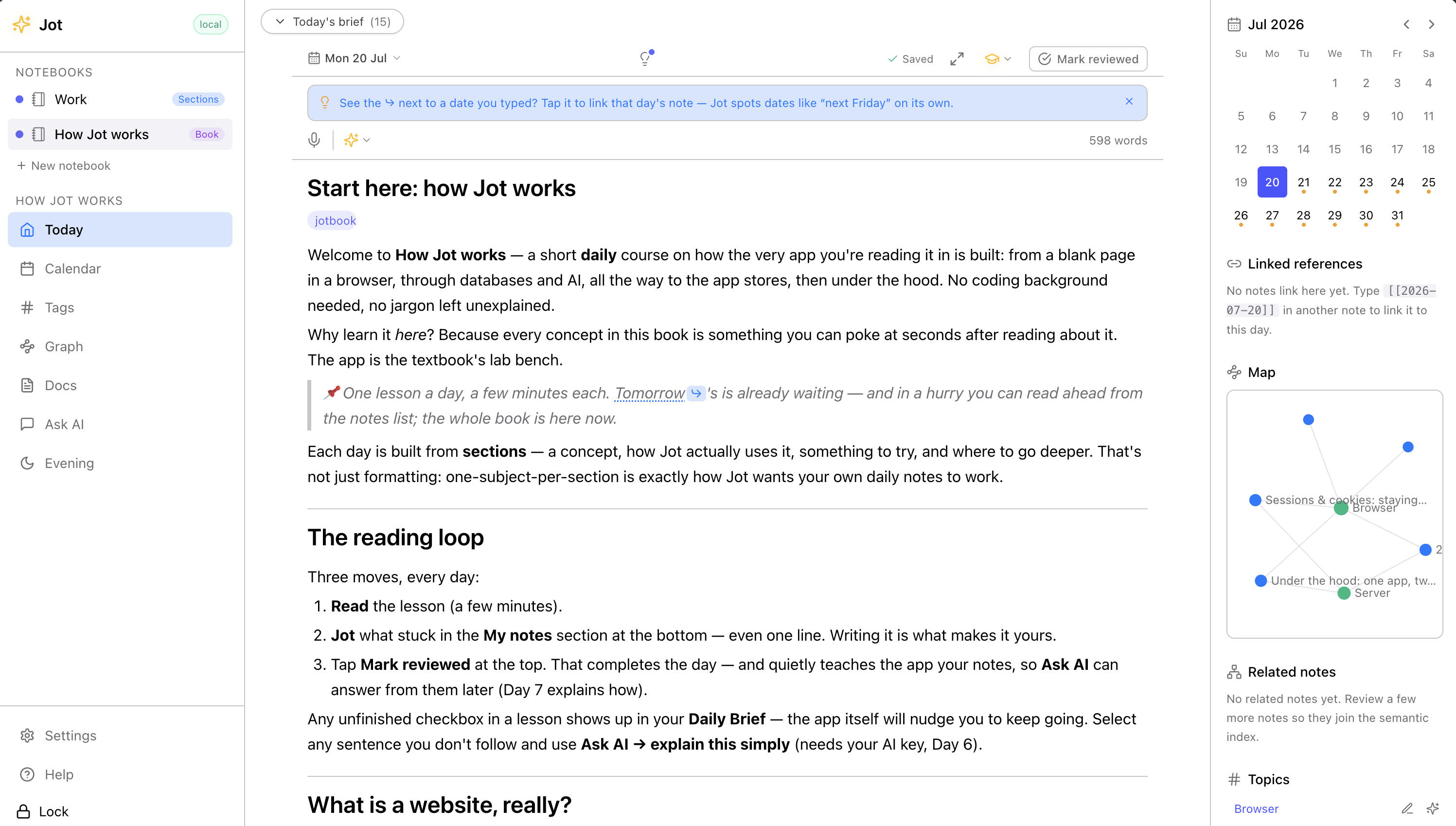
New to all this? Add the Jot Book. “How Jot works” is a self-paced course that lives right inside Jot — real notes you read one calm lesson at a time, from “what is a website” to how the AI works and shipping to the app stores. The twist: the format is the lesson — the database lesson is a table, and you learn what the AI does by using it. One click to add, one to remove. How to add it →
The Jot Book open in Jot — the first lesson “Start here: how Jot works,” shown as a book page with the reading loop, tagged jotbook, the “How Jot works” notebook in the sidebar, and a connections map on the right.

A few short reads — how to start, how your notes stay private, how the AI works, why Jot exists, and how it compares.