Getting started
Up and running in a minute.
You don't really set up Jot — you just start writing in it. Here's the whole path from nothing to your first note: pick where your notes live, optionally bring an AI key, and go. No passwords, no folders, no chores.
Step 1 · Where your notes live
Jot runs two ways. This is the only real decision, and you can change your mind later — your notes export as plain Markdown either way.
- No account — nothing to sign up for
- End-to-end encrypted on your device
- Works offline; optional backup to your own Google Drive
- Sign in with a magic link — no password to set
- Your notes follow you to phone and laptop
- Stored on our servers, scoped only to you
Step 2 · Turn on the AI (optional)
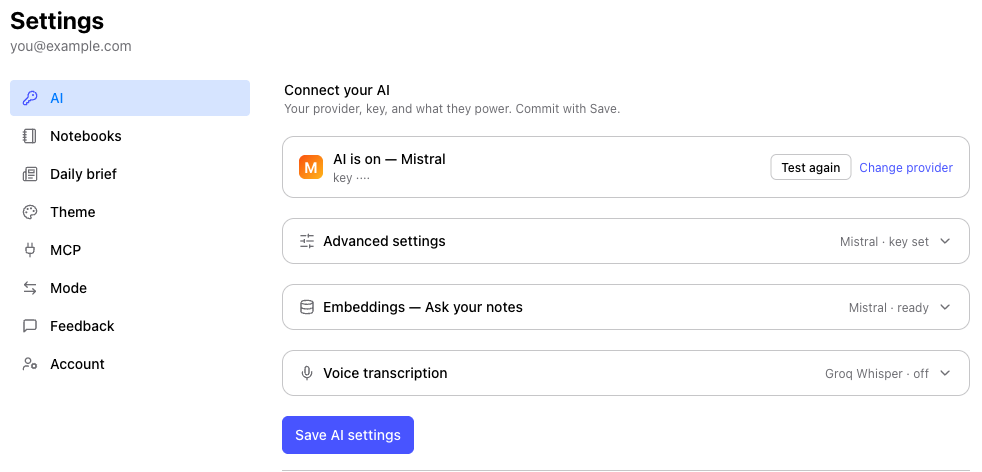
Jot's AI runs on a key you bring — you pick the provider and control the cost. Most have a free tier, and Jot picks sensible model defaults for you. Paste your key, hit Test, and Save. It's stored encrypted and used only by your account.
[[links]], #tags, the graph, and your daily to-dos all work without one. Add a key later when you want Refine and Ask.Step 3 · Write your first note
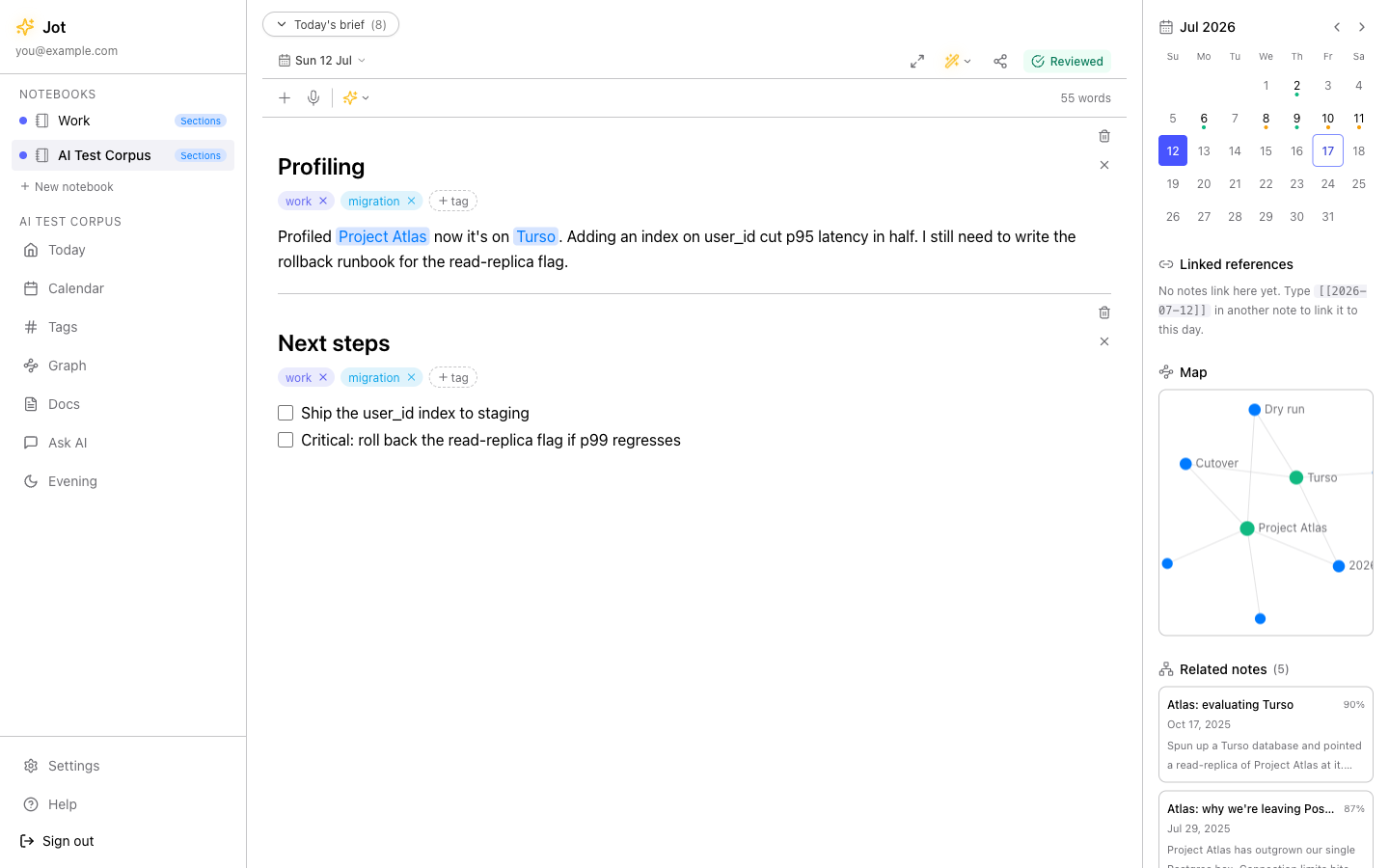
Today's note is already open — just start typing; it saves as you go. Type
[[a topic]] to link an idea and #a-tag to file a thought, and Jot
builds the connections for you. Want to see it with real content first? Add the
Demo notebook — five sample days that already link up — and delete it in one click when
you're ready.
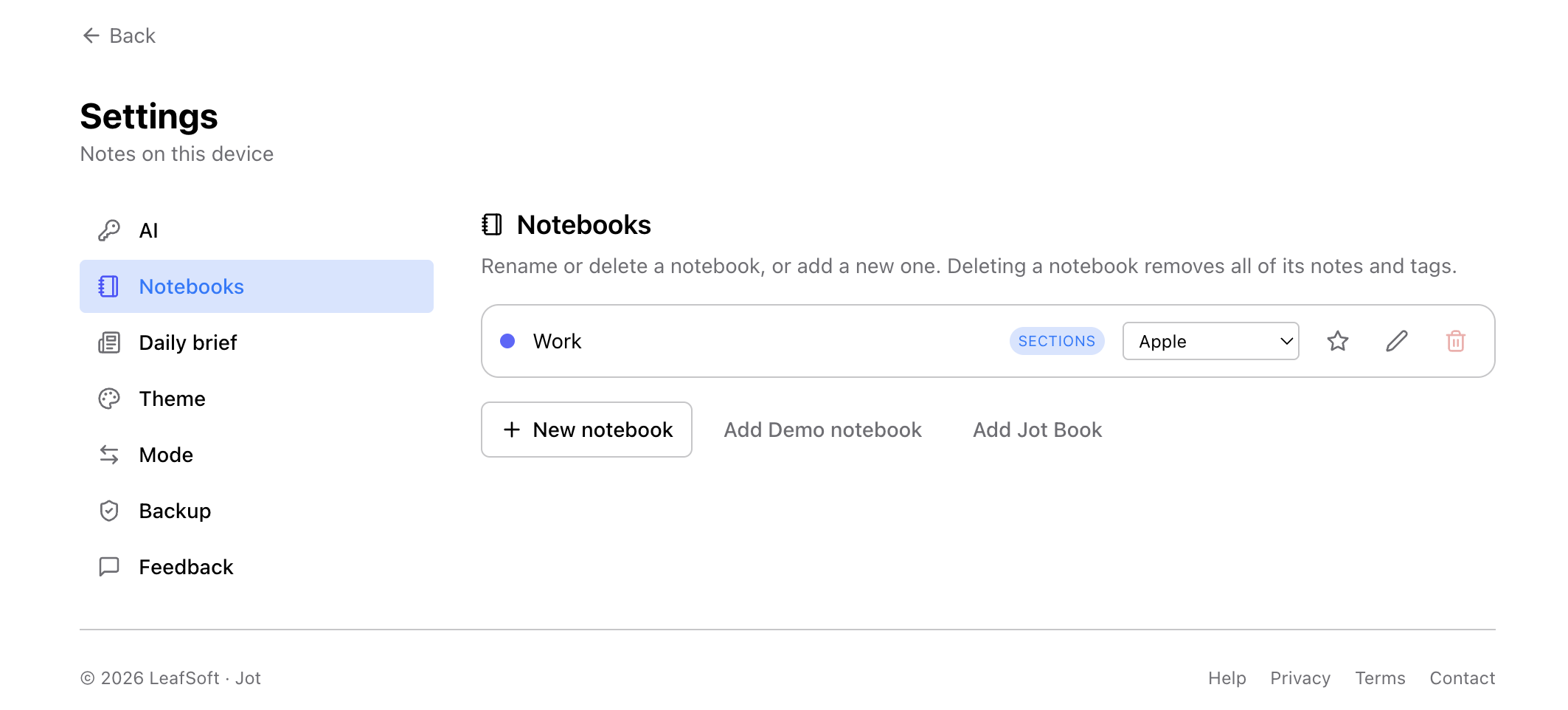
New to how software actually works, or just curious? Add the Jot Book (“How Jot works”) — a self-paced course, right inside Jot, from “what is a website” to how the AI works and shipping to the app stores, one calm lesson at a time. Just want to write? Skip it — Jot works fully without it. Add or remove it anytime from Settings → Notebooks.
Put Jot on your phone
Jot is a PWA (progressive web app), so there's no App Store or Play Store download — you install it straight from the browser. Once it's on your home screen it opens full-screen like any app, works offline, and (in Cloud mode) can deliver your daily brief as a notification. About a minute, once per phone:
- Open jot.leafsoft.online in Chrome
- Tap the ⋮ menu, then Install app (or “Add to Home screen”)
- Confirm — Jot lands on your home screen and opens full-screen
- Chrome often shows an Install chip in the address bar too
- Open jot.leafsoft.online in Safari (it has to be Safari)
- Tap the Share button — the square with an up-arrow
- Scroll to Add to Home Screen, then Add
- Open Jot from its new icon — full-screen, no browser bars
Then it just builds
Keep capturing and Jot does the rest in the background: it draws the graph of connections, surfaces a short daily brief of open to-dos and drafts each morning, and — once you've added a key — offers gentle, context-aware writing prompts when you open a blank page. Nothing to configure; it shows up as you write.
Sharing a device? Lock Jot behind a passkey and unlock with your fingerprint or Face ID — set it up in Settings. More in Privacy & encryption.
Start your first note.
Local or cloud, no credit card, no AI charges. You can be writing in under a minute.